
Back to Support EZCODE / SUPPORT
TXH-S
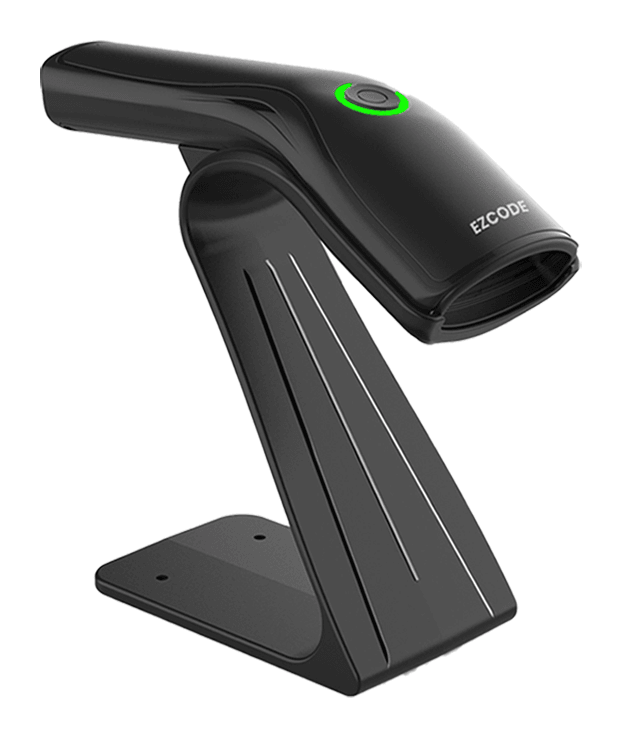
Wired 1D / 2D barcode scanner
Setup guideManual updated 15 September 2026
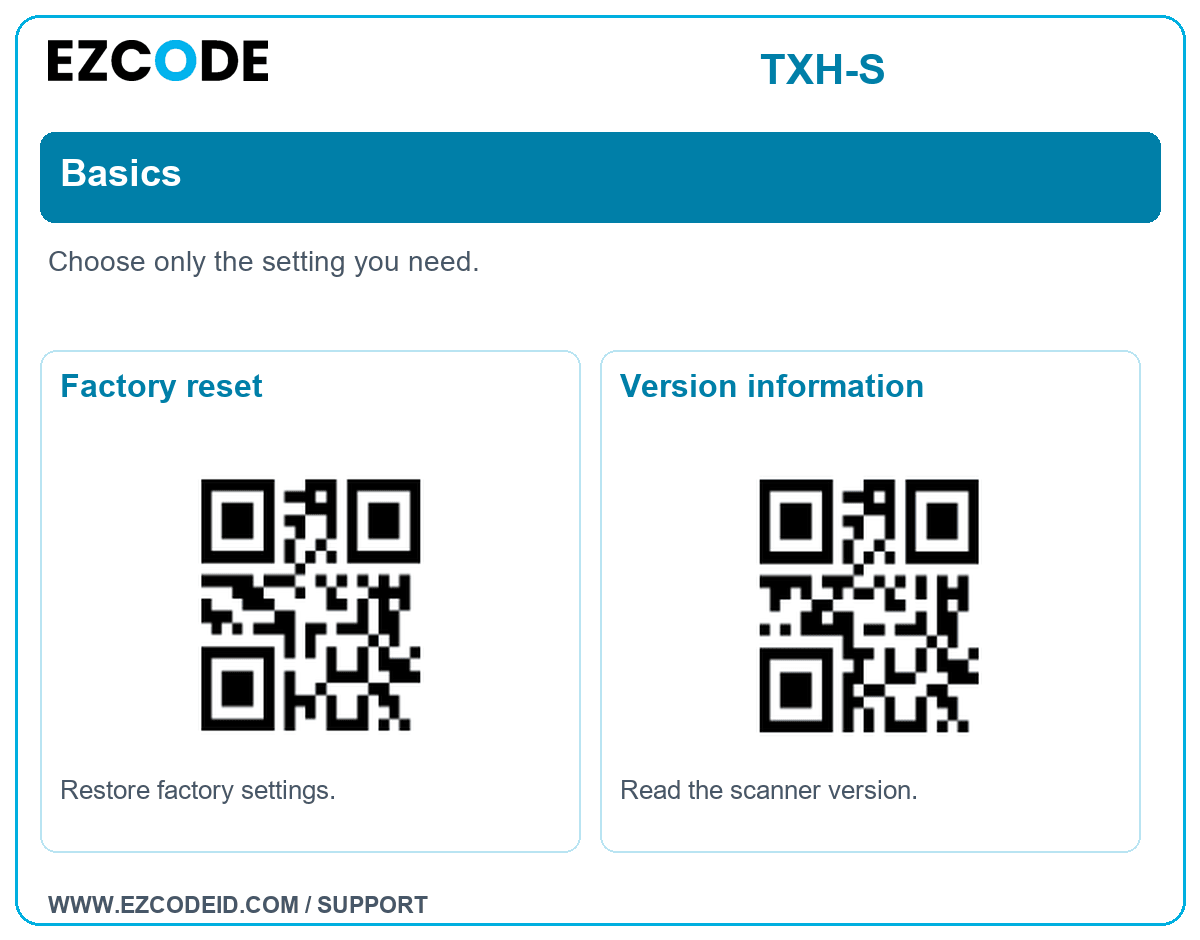
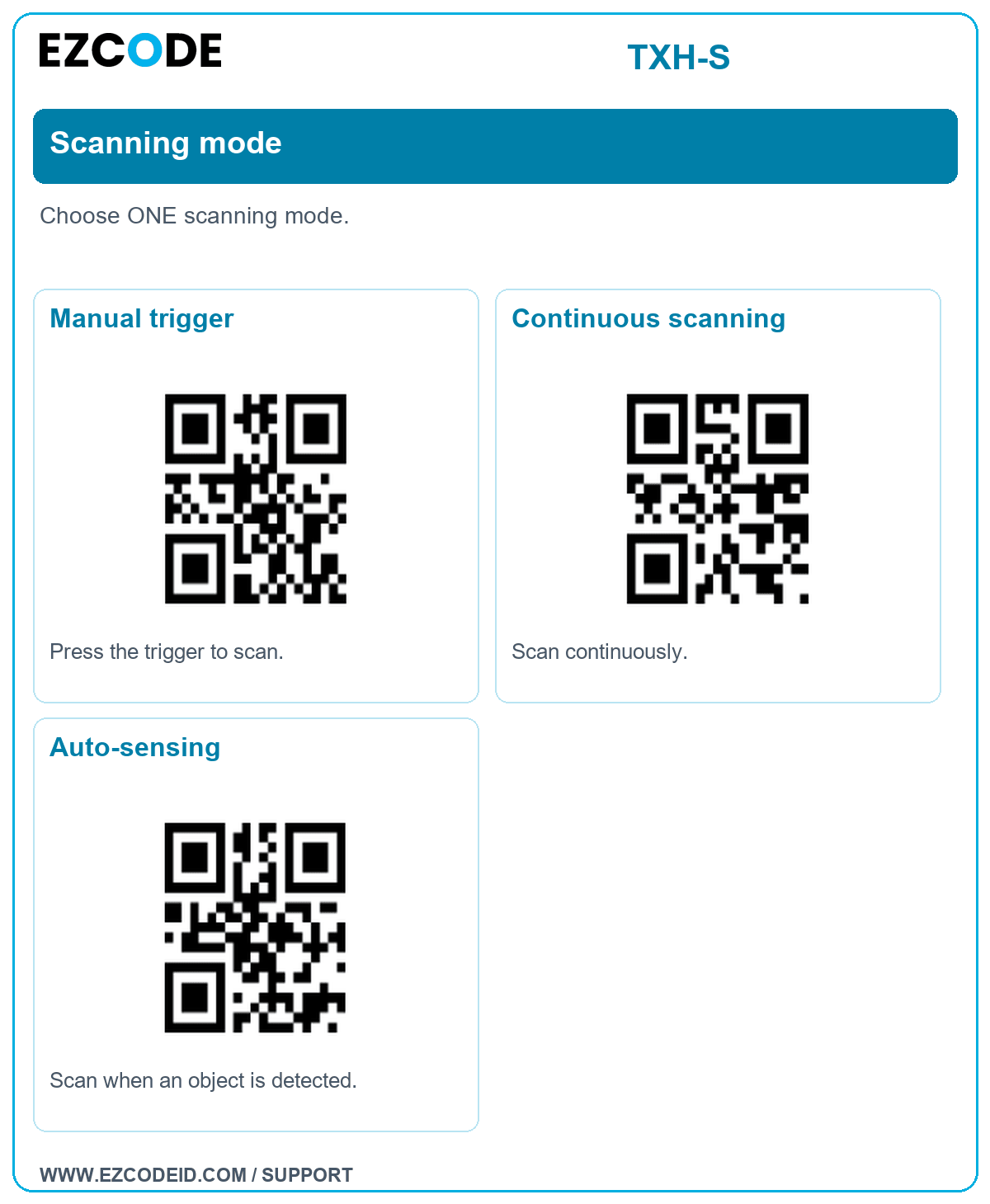
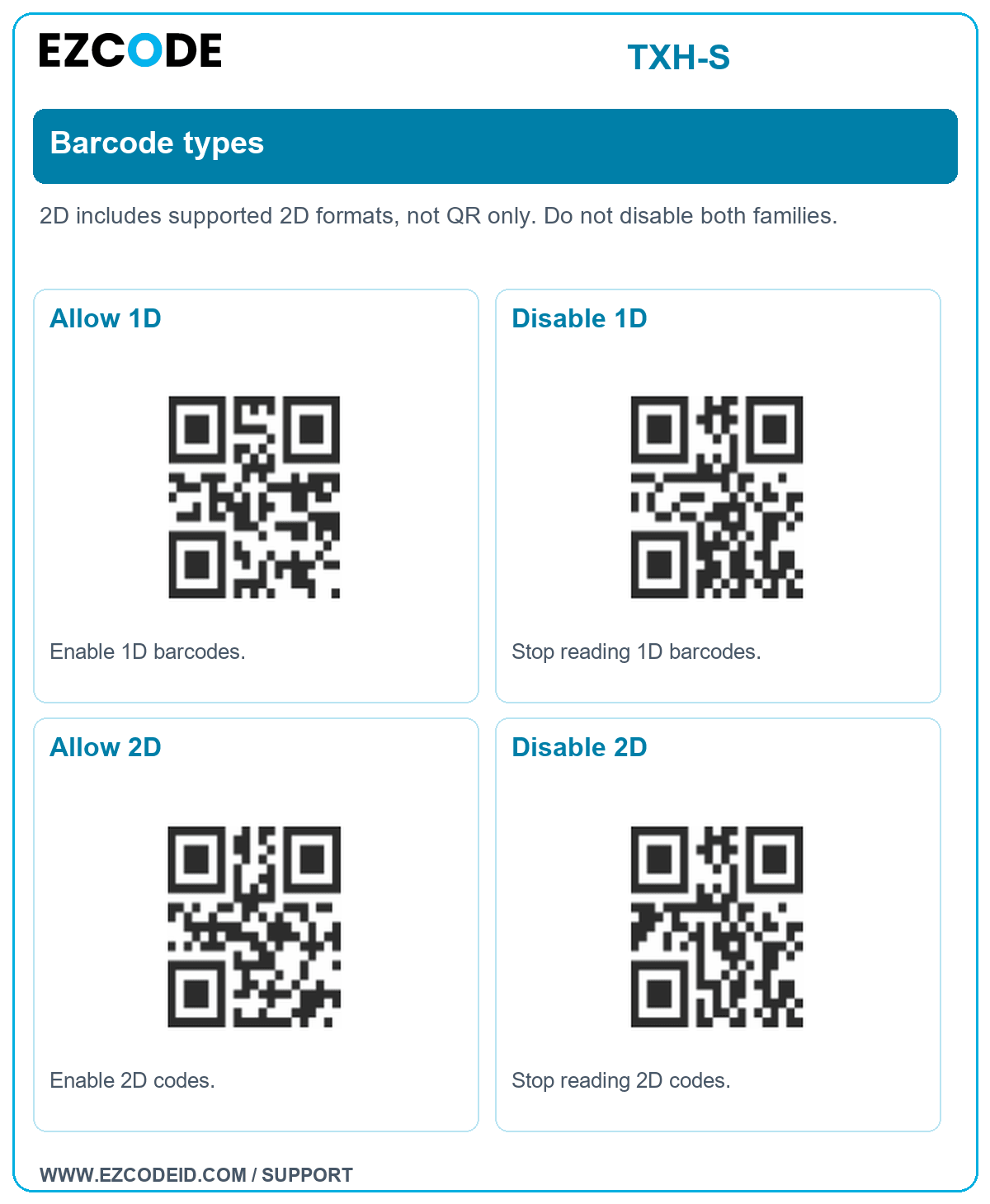
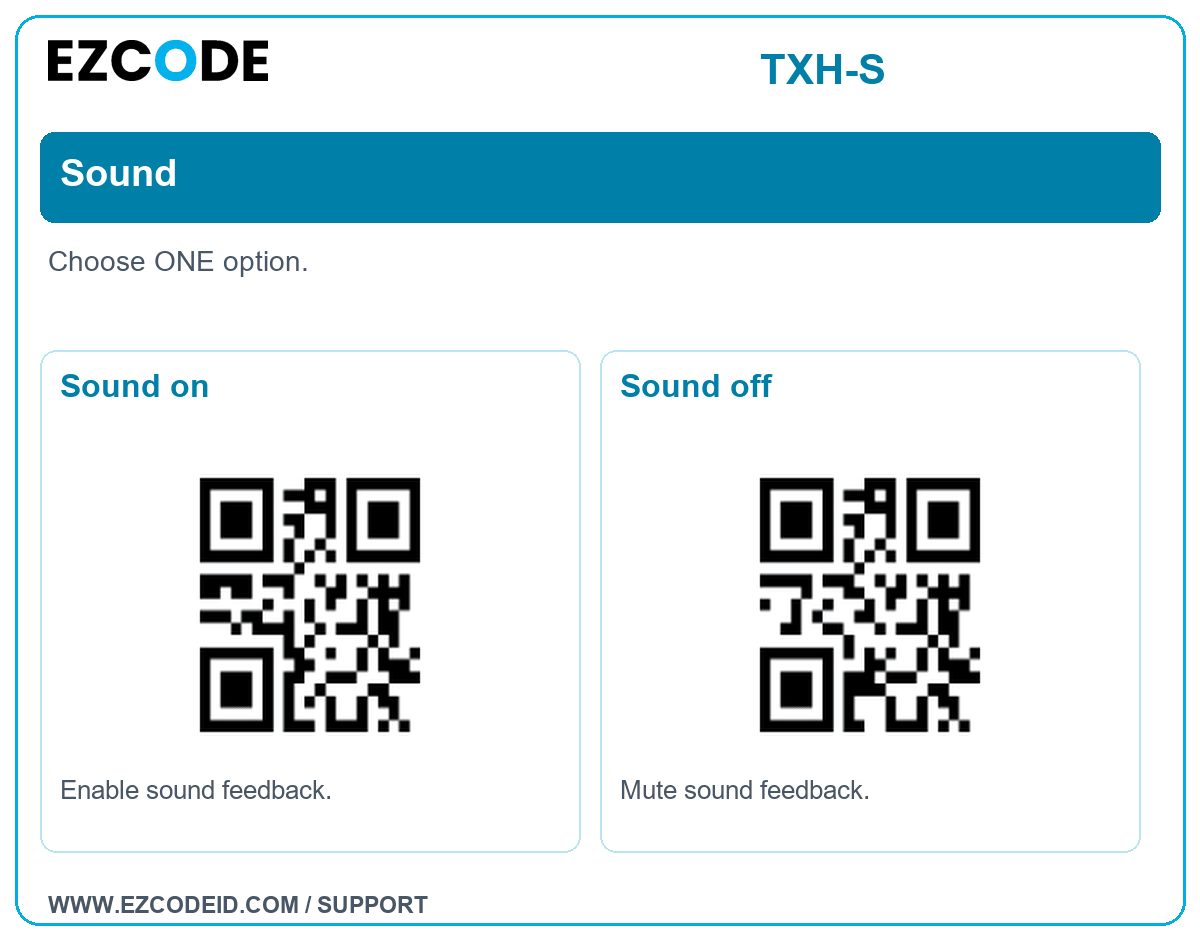
 Scan only the setting you need. Use your scanner, not your phone camera. These settings are alternatives unless a sequence is stated.
Save to your phone: open a group image, then touch and hold to save it. A 1D laser scanner may not read an LCD screen; print the image at a clear size if needed.Basics
Choose only the setting you need.
Open / save group imageFactory reset
Restore factory settings.
Version information
Read the scanner version.
Scanning mode
Choose ONE scanning mode.
Open / save group imageManual trigger
Press the trigger to scan.
Continuous scanning
Scan continuously.
Auto-sensing
Scan when an object is detected.
Barcode types
2D includes supported 2D formats, not QR only. Do not disable both families.
Open / save group imageAllow 1D
Enable 1D barcodes.
Disable 1D
Stop reading 1D barcodes.
Allow 2D
Enable 2D codes.
Disable 2D
Stop reading 2D codes.
Sound
Choose ONE option.
Open / save group imageSound on
Enable sound feedback.
Sound off
Mute sound feedback.
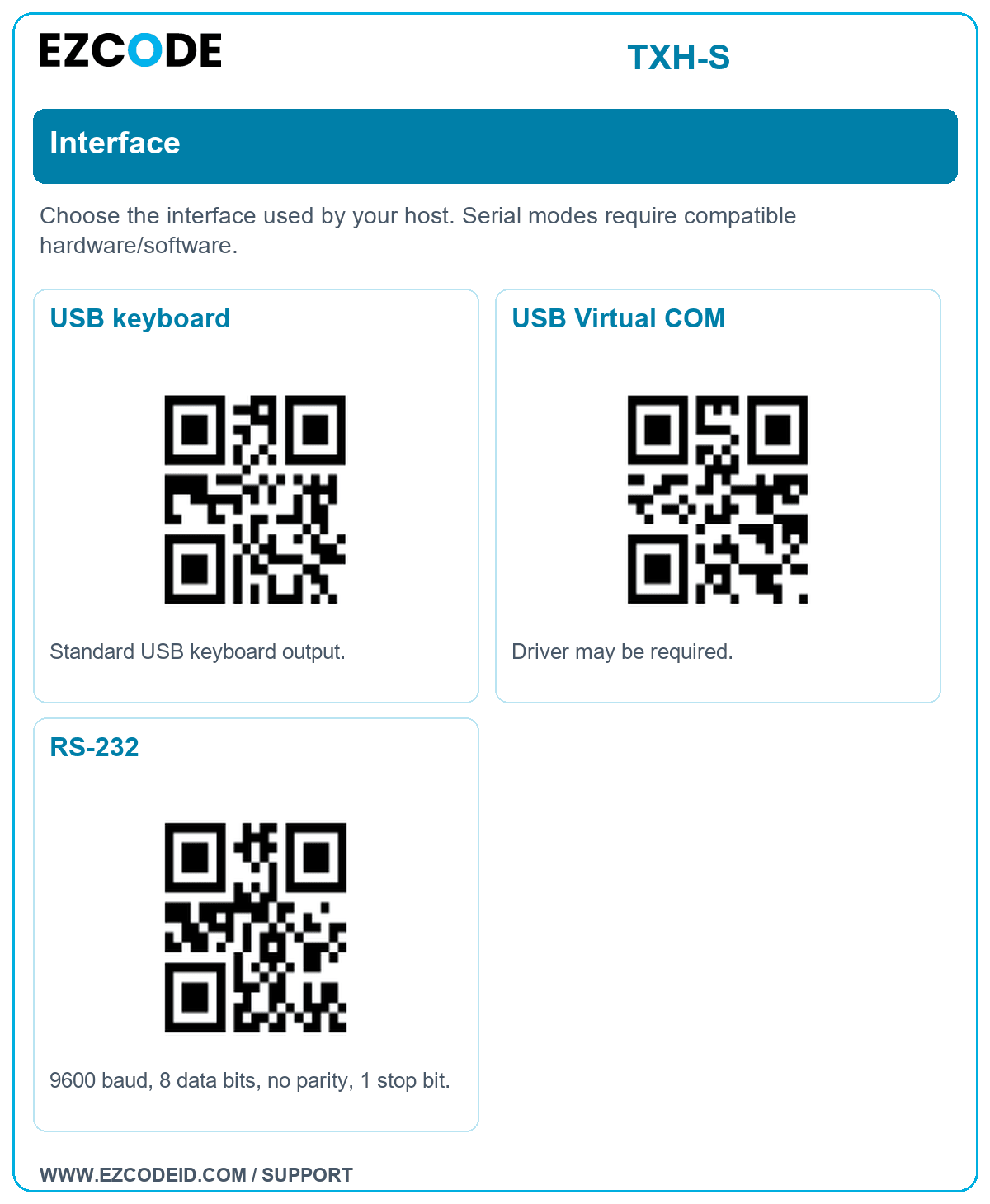
Interface
Choose the interface used by your host. Serial modes require compatible hardware/software.
Open / save group imageUSB keyboard
Standard USB keyboard output.
USB Virtual COM
Driver may be required.
RS-232
9600 baud, 8 data bits, no parity, 1 stop bit.
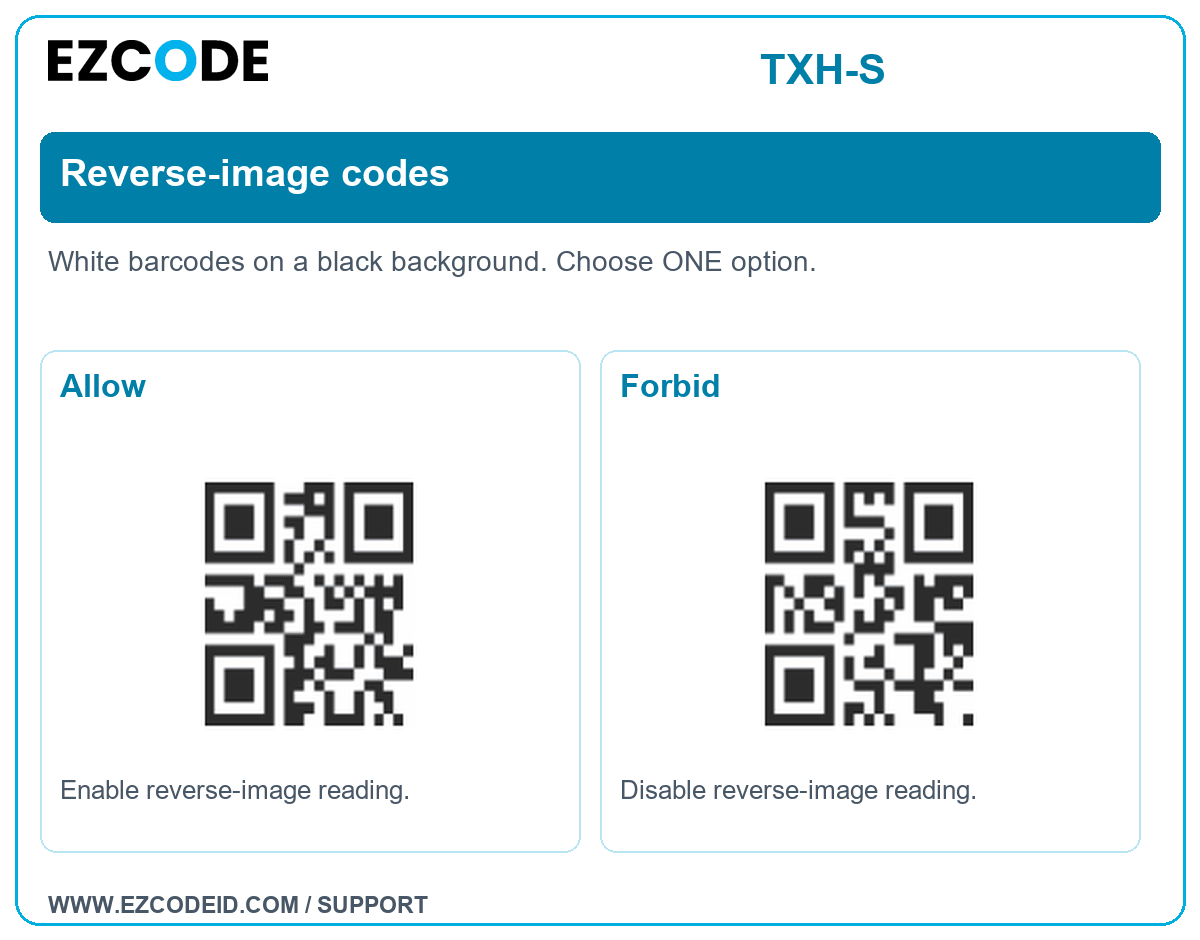
Reverse-image codes
White barcodes on a black background. Choose ONE option.
Open / save group imageAllow
Enable reverse-image reading.
Forbid
Disable reverse-image reading.
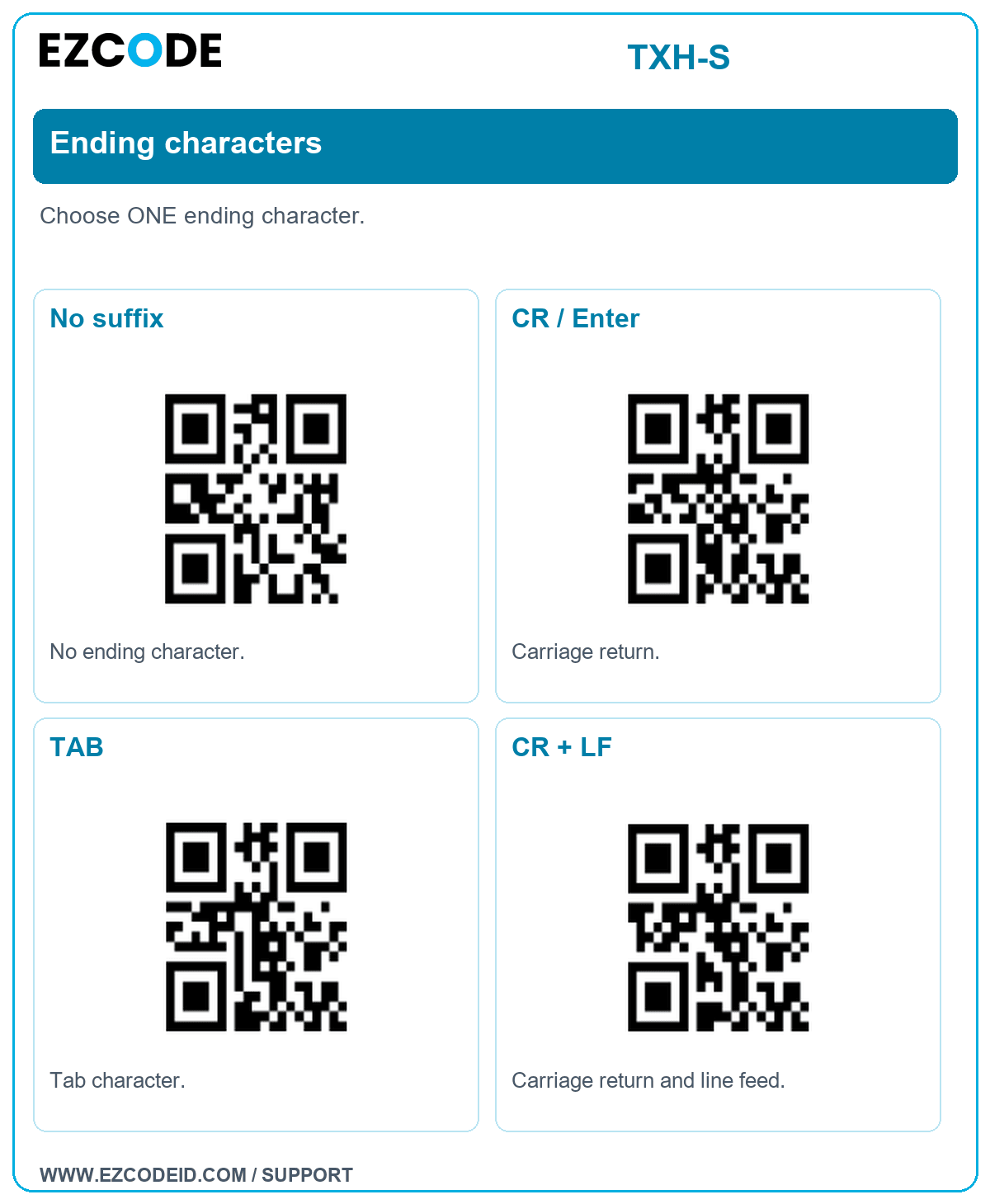
Ending characters
Choose ONE ending character.
Open / save group imageNo suffix
No ending character.
CR / Enter
Carriage return.
TAB
Tab character.
CR + LF
Carriage return and line feed.